

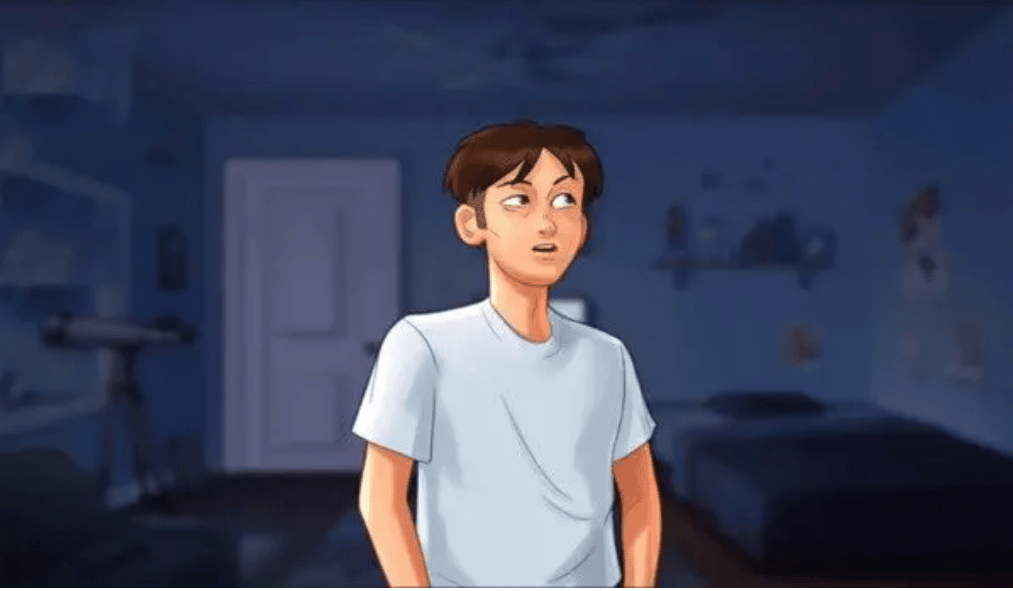
Every password in Summertime Saga is tied to a specific character route and must be unlocked in sequence. The table below lists all codes instantly. The sections below explain exactly why each password is needed and how to reach the moment where it is used.
🔑 The two most-searched codes, right away:
Pink Channel: Sub ID
L6bv12R· PIN12345(entered on the TV in Jenny’s room)Jenny’s Laptop:
BAD MONSTER(all caps, with space)
QUICK REFERENCE TABLE
| Password / Code | Value | Character Route | Purpose |
|---|---|---|---|
| Jenny’s Laptop Password | BAD MONSTER |
Jenny’s Route | Unlocks laptop to progress her storyline |
| Pink Channel Sub ID | L6bv12R |
Jenny’s Route | Accesses Pink Channel subscription on TV |
| Pink Channel PIN | 12345 |
Jenny’s Route | PIN required alongside the Sub ID |
| Anon’s Remote Access | cookies |
Anon’s Route | Continues remote computer access sequence |
| Ms. Okita Office Keypad | 6219 |
Ms. Okita’s Route | Opens her office door in science department |
| Treasure Chest Code | Octopus–Mermaid–Octopus–Anchor |
Main Story | Opens beach island chest |
⚠️ Codes are verified for Summertime Saga v21.0+. Check your version in the main menu if a code fails.
Jenny’s Laptop Password — Why It’s “BAD MONSTER” and When You Need It
Direct answer: Jenny’s laptop password is BAD MONSTER (all caps).
Why this password exists in the game
Jenny’s laptop is a locked story object in her character route. The game requires you to earn access by progressing through her storyline — specifically by building enough trust through earlier events. The password itself is hidden in her journal, which only becomes readable after you give her the toy from the mall. This is intentional game design: the password cannot be entered before the journal event because the laptop interaction is not yet active.
Step-by-step: How to reach the laptop (chain-of-thought)
Each step below is a prerequisite for the next — skipping one makes the following step inaccessible.
- Buy the blue & white toy at the mall → This triggers the first intimate event with Jenny and advances her trust level.
- Wait one in-game day → Jenny and Debbie have a kitchen conversation. Your dialogue choice here does not affect the password sequence.
- Next day: read Jenny’s journal → The journal appears on her desk only after step 2. Reading it reveals the password hint.
- Go to Jenny’s room while she is in the shower → The shower scene only triggers in the morning after reading the journal. If she is not in the shower, you are on the wrong day — wait one more day.
- Interact with the laptop on her desk → The password prompt appears. Enter:
BAD MONSTER
Result: The laptop unlocks a key scene that advances Jenny’s route toward the Pink Channel unlock sequence.
Pink Channel Password — ID, PIN, and the Exact Unlock Sequence
Direct answer: Pink Channel Sub ID is L6bv12R and the PIN is 12345.
RelatedPosts


Why two credentials are needed
The Pink Channel is modeled as a real subscription service within the game. It requires both a subscription ID (username) and a PIN (password) — entering only one will not work. Both are obtained automatically during Jenny’s route; they cannot be found or entered before completing the unlock sequence below.
Step-by-step: How to unlock the Pink Channel (chain-of-thought)
- Complete the laptop event (see section above) → This is the prerequisite that opens the telescope event.
- Progress until the telescope event triggers → Visit Jenny’s room after the laptop scene. The telescope appears on the balcony. Interact with it.
- Go to Jenny’s room in the afternoon → Time of day matters here. Morning and evening visits at this stage will not trigger the next event.
- Get the Pink Cyclone mask from Cosmic Cumics → The store is in the mall. The mask is required as a physical in-game item for the next step.
- Visit Jenny at three different times of day across multiple days → Afternoon → Morning → Evening, each on a separate in-game day. The game checks that all three time slots have been visited before unlocking the channel.
- Pink Channel unlocks automatically → No code entry needed at this stage. The subscription ID and PIN are then displayed in-game and can be used on the TV at any time.
Where to use the credentials: TV in Jenny’s room → select the Pink Channel app → enter Sub ID L6bv12R → enter PIN 12345.
All Other Passwords in Summertime Saga
Anon’s Computer — Remote Access Password
Password: cookies
Why this password is needed: During Anon’s route, you gain access to a remote computer terminal. The system prompts for a passphrase to authenticate the session. cookies is the correct passphrase — it is not found in a journal or item but is instead part of Anon’s scripted dialogue sequence.
When to use it: When the remote access terminal shows a text prompt during Anon’s route. Type cookies and confirm.
Ms. Okita’s Office Keypad — Code 6219
Code: 6219
Why this code is needed: Ms. Okita’s science lab has a keypad-locked door. The code is written on a note in the Director’s office — the game hides it there deliberately so the player must visit two locations in sequence.
Step-by-step:
- Go to the Director’s office → find the note on the desk → note reads code
6219. - Return to Ms. Okita’s office → enter
6219at the keypad → door opens.
Treasure Chest on the Beach Island
Code: Octopus – Mermaid – Octopus – Anchor
Why this code is needed: The chest is part of a treasure hunt sequence. The solution is encoded in a parchment found in a Raven Hill tree. Each symbol corresponds to a carving on the chest’s dial.
Step-by-step:
- Find the treasure map (park fountain area).
- Get the parchment from the Raven Hill tree.
- Go to the small island at the beach → dig with the shovel at the X.
- Interact with the chest → enter symbols in order:
Octopus – Mermaid – Octopus – Anchor.
How to Enable Cheats in Summertime Saga — 3 Methods Explained
Summertime Saga has a native cheat system. No external tools are required. The three methods below are ordered from simplest to most powerful.
Method 1 — In-Game Phone (no file editing required)
Why this works: The game includes a hidden debug menu accessible via the in-game phone’s Wi-Fi icon. It was added by the developer for testing but is available in all public releases.
- Open the in-game phone (top-left icon).
- Tap the Wi-Fi icon.
- Tap “I Understand” → then “Unlock UI”.
- Cheat menu activates: add money, max stats, skip minigame interactions.
Method 2 — Developer Console (PC / Mac)
Why this works: Summertime Saga is built on the Ren’Py engine. Ren’Py includes a developer console that can be enabled by editing one configuration file. This unlocks direct variable manipulation.
- Navigate to game folder →
renpy/common/00console.rpy. - Find:
config.console = False - Change to:
config.console = True - Save and restart the game.
- Press Shift + O in-game → console opens.
- Enter commands (e.g.
money += 1000000to add money).
Method 3 — Android Console
Why this differs from Method 1: On Android, the standard Wi-Fi unlock flow is interrupted by system navigation. A slightly different gesture sequence is required to bypass the blue menu.
- Open in-game phone → tap Wi-Fi icon.
- Dismiss the blue menu using the Android Back button (press several times).
- Tap the black icon in the top-right corner → console opens.
- Enter commands, then type
exitto close.
Frequently Asked Questions
What is Jenny’s computer password in Summertime Saga?
Jenny’s laptop password is BAD MONSTER. It becomes available after you buy her the toy from the mall, read her journal the next day, and visit her room while she is in the shower.
What is the Pink Channel ID and PIN in Summertime Saga?
The Pink Channel subscription ID is L6bv12R and the PIN is 12345. Both are required. They unlock after completing the telescope event and visiting Jenny at three different times of day.
Why is the Pink Channel not unlocking for me?
The most common reason is that the three time-of-day visits (afternoon, morning, evening) have not all been completed on separate days. Each visit must happen on a different in-game day — visiting multiple times on the same day does not count.
Where is the “cookies” password used in Summertime Saga?
The cookies password is used during Anon’s character route, specifically when the remote computer access terminal prompts for a passphrase.
Do Summertime Saga passwords change between versions?
The core passwords (BAD MONSTER, Pink Channel credentials) have been consistent since v0.20. Minor route codes may change in major updates. Always verify your game version in the main menu against the codes listed above.
How do I enable cheats without editing game files?
Use Method 1: open the in-game phone, tap the Wi-Fi icon, select “I Understand” then “Unlock UI”. This activates the cheat menu without touching any files and works on PC, Mac, and Android.
Continue With These Summertime Saga Guides
Each guide below picks up where the passwords above are used:
- Jenny’s Route — Full Walkthrough — step-by-step from start to all endings
- Diane’s Route — Step by Step
- Ms. Okita’s Route — Full Guide
- Games Like Summertime Saga — more story games in the same style