


East Brickton commands are typed into the chat. Press / to open the chat box, type the command, and hit Enter — emote and dance commands start with /e (for example /e woo to dance), and phone commands like /call or /sms additionally require your phone equipped first (press 1). That’s the whole system. Below you’ll find the complete 2026 database of every working East Brickton command — chat, phone, dance, emote and roleplay — with a troubleshooting guide if one doesn’t respond. And if you searched for East Brickton codes: the game has no redeem codes; the commands on this page are what players mean by “codes”.
Does East Brickton Have Codes?
No. East Brickton has never had a redeem-code system, because there is nothing to redeem: there are no boosts, currencies, or free items handed out via codes. Progress in East Brickton comes entirely from roleplay. What the community calls “East Brickton codes” are the chat commands listed below. If you found a site promising East Brickton redeem codes, it is outdated or wrong — save your time and use the command tables on this page instead.
How to Use East Brickton Commands
Commands in East Brickton are typed into the chat. Follow these steps and every command on this page will work:
- Open the chat by pressing / on your keyboard. Commands only work when typed in the chat box — nowhere else.
- For phone commands (calls, SMS, contacts): first equip your phone by pressing 1 or clicking the phone icon at the bottom of the screen. Phone commands fail silently if the phone is not in your hands — this is the most common reason a command “doesn’t work”.
- For emote and dance commands: no phone needed. Just type the command starting with /e directly into chat.
- Replace placeholders: where a command shows [contact] or [name], type the actual player name without the brackets.
- To cancel an emote, simply enter a different command — the new one replaces the old one.
Important: East Brickton is strictly moderated roleplay. Using commands to harass players or break RP rules can get you banned, so use them in character.
East Brickton Chat Commands – Full List (2026)
| Command | Description |
| /contactlist | Open contact list |
| /call [contact] | Call contact |
| /sms [contact] | Text contact |
| /givecontact [name] | Give number to contact |
| /call[911] | Call emergency services |
| /s | Shouts |
| /wi | Whispers |
| /pm | Text Message |
| /report | Report player |
| /despawncar | Wipe car from world |
| /id [charname] | Get other player’s ID |
Phone commands (/call, /sms, /givecontact, /contactlist) require the phone equipped in your hands. The rest work directly in chat.
East Brickton Dance Commands
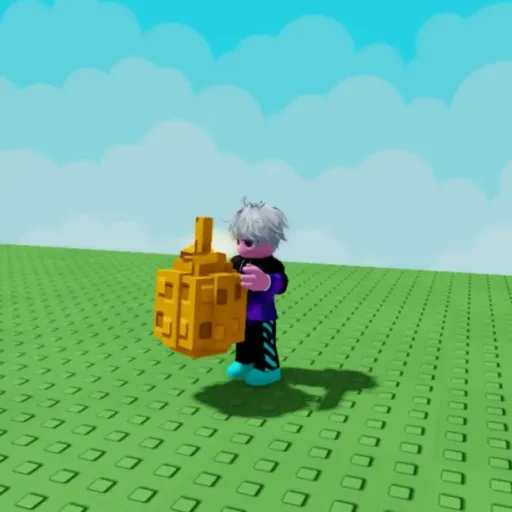
All dance commands are emotes, so they start with /e and work without the phone:

| Command | Description |
| /e hdf | Dance in place |
| /e hitdemfolks | Dance #2 |
| /e sit | Sit on floor |
| /e woo | Dance |
| /e surrender | Surrender on the floor |
| /e hands | Place your hands up |
| /e shoot | Jump on one foot with one hand in the air |
| /e 2shoot |
Jump on opposite foot with one hand in the air
|
| /e dab | Do the dab |
| /e turnup | Get hype |
| /e moneybop | Dance low to the floor |
| /e yes | Shake your head yes |
| /e no | Shake your head no |
East Brickton Roleplay Commands
These commands trigger roleplay actions and job interactions. The /e emotes paste straight into chat; the job commands (/startservice, /payservice, etc.) are used at RP job locations:
| Command | Description |
| /e lean | Lean against a walled surface |
| /e crossarms | Cross your arms |
| /e hips | Place hands on hips |
| /e hs1 | Formal handshake |
| /e hs2 | Casual handshake |
| /e gs1 | Gang Sign 1 |
| /e gs2 | Gang Sign 2 |
| /e gs3 | Gang Sign 3 |
| /e gs4 | Gang Sign 4 |
| /startservice | Start job |
| /finishservice | End job |
| /payservice | Pay at RP Job Store |
| /acceptservice | Take money at RP Job |
| /pay | Give money to players |
| /helpup | Help downed player |
East Brickton Controls (Keyboard & Mouse)
East Brickton uses the standard Roblox control scheme — there are no special keybinds to memorize beyond these:
- WASD: Move up, left, down and right
- / : Open Chat (where all commands are typed)
- 1, 2, 3…: Equip or unequip items (1 equips the phone)
- Backspace: Drop item
- Space: Jump
- Shift: Hold Shift (sprint)
- Left Mouse: Use equipped item
- Mouse Scroll Wheel: Zoom in and out
- ` : Open or close backpack
Why Isn’t My Command Working?
The three most common reasons an East Brickton command fails, in order:
- Phone not equipped. /call, /sms, /givecontact and /contactlist only work while holding the phone. Press 1 first, then type the command.
- Brackets typed literally. Type the player’s actual name — /sms John, not /sms [John].
- The command was removed or changed. East Brickton is in active development and the developers occasionally adjust commands between updates. If a command from this list stops responding, check the official East Brickton community channels for patch notes — and let us know in the comments so we can update the database.
Is There an East Brickton Script?
Searching for an East Brickton script or exploit is a bad idea in this particular game. East Brickton is one of the most strictly moderated roleplay experiences on Roblox: moderators actively patrol servers, and exploiting leads to a permanent ban with no appeal — losing a character you may have spent months building. There is no safe or worthwhile East Brickton script. If you are interested in how scripts work in games that are commonly scripted, read our Blox Fruit script guide instead — but keep East Brickton clean.
Funny things in East Brickton
If you want to know the new East Brickton chat commands before anyone else, bookmark this page — we keep the database updated as the developers add new commands. Good luck out there in Brickton!
No. East Brickton has no redeem-code system and never has — there are no free items, boosts or currency to claim. What players call “East Brickton codes” are chat commands: text instructions typed into the chat box to call players, send texts, dance and trigger roleplay actions.
Open the chat by pressing / on your keyboard and type the command. For phone commands like /call or /sms, first equip your phone by pressing 1 or clicking the phone icon at the bottom of the screen. Emote commands starting with /e work without the phone.
The most common reason is that your phone isn’t equipped — /call, /sms, /givecontact and /contactlist only work while holding the phone (press 1 first). Also make sure you type the actual player name instead of the [brackets] placeholder. If it still fails, the developers may have changed the command in an update.
Equip your phone by pressing 1, open the chat with /, and type /call followed by the contact’s name — for example /call John. The player must already be in your contact list; use /givecontact [name] to exchange numbers first.
Type a dance emote directly into the chat — no phone needed. The main dance commands are /e woo, /e hdf (dance in place), /e hitdemfolks, /e moneybop (low dance) and /e turnup. To stop a dance, enter any other emote command.
There is no safe East Brickton script. East Brickton is one of the most strictly moderated roleplay games on Roblox — exploiting results in a permanent ban with no appeal, which means losing your character and all progress.
East Brickton uses standard Roblox controls: WASD to move, Space to jump, Shift to sprint, number keys 1-3 to equip items (1 equips the phone), Backspace to drop an item, / to open chat and the backtick key (`) to open your backpack.