

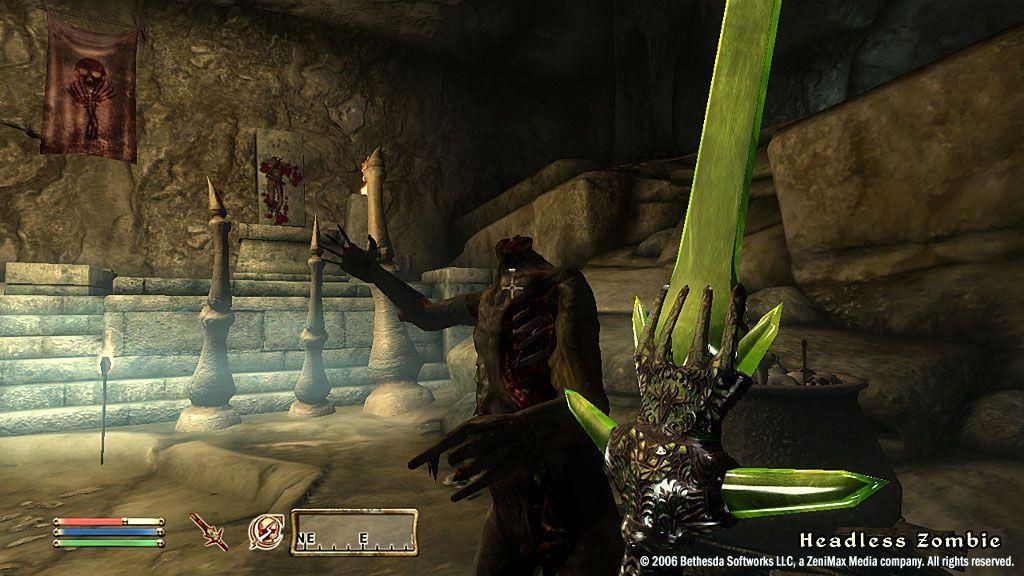
Oblivion console commands let you enable God mode, add gold and items, level up, teleport, and tweak almost anything in The Elder Scrolls IV: Oblivion. Open the console with the tilde (~) key — it appears as a box in the corner of the screen — type the command and press Enter. Commands are not case-sensitive. PC only.
Oblivion is the fourth Elder Scrolls game, an open-world RPG by Bethesda. Where you see X put a number, and where you see an ID or ObjREF use the item or target reference.
How to open the console in Oblivion
- During gameplay, press the tilde (~) key — top-left of the keyboard, above Tab. On some layouts it’s the key just below Escape.
- A box appears in the corner of the screen.
- Click a target (NPC, creature or object) to select it if the command needs one, then type the command and press Enter.
Tip: back up your save before using commands — some can cause errors or break quests. Commands work in uppercase or lowercase.
Player & character commands (gold, level, skills)
| Command | Effect |
|---|---|
tgm |
God mode: invincible (type with nothing selected) |
player.additem 0000000F X |
Adds X gold |
player.additem [ID] X |
Adds X of the item with that ID |
player.setlevel X |
Sets your level (1–255) |
advlevel |
Level up via the level-up screen |
advskill [skill] X |
Raises a skill by X levels |
modpca [attribute] 100 |
Adds 100 points to an attribute (e.g. luck) |
modpcs [skill] 100 |
Adds 100 points to a skill |
player.setav [value] X |
Increases or decreases a skill or attribute |
player.addspell [ID] |
Gives you the spell with that ID |
psb |
Adds all spells to the player |
player.setcrimegold 0 |
Clears the bounty on your head |
player.payfine |
Guards stop attacking; bounty is paid |
SetPCFame / SetPCInfamy |
Gives you fame or infamy |
ShowRaceMenu |
Opens the name/race/appearance screen |
ShowClassMenu |
Opens the class selection screen |
SexChange |
Changes your character’s gender |
Quest & world commands
| Command | Effect |
|---|---|
caqs |
Completes all stages of the current quest |
player.setstage [ID] [stage] |
Advances a specific quest to a specific stage |
movetoqt |
Teleports to the current quest objective |
showquesttargets |
Shows current quest objectives |
showquestlog |
Opens the quest log |
coc testinghall |
Teleports to a room with every item, monster and NPC |
coc toddtest |
Teleports to the developer test area |
MoveTo [ObjREF] |
Moves your target to the referenced object |
PlaceAtMe [ID] [number] |
Spawns a creature, NPC or item |
set timescale to X |
Sets how fast time passes (default 30) |
SetBarterGold [amount] |
Sets how much gold a merchant has to trade |
Combat & target commands
| Command | Effect |
|---|---|
Select target, type kill |
Instantly kills the selected target |
killall |
Kills everything in the area |
resurrect |
Resurrects the selected target |
ceasecombat / stopcombat |
The selected NPC stops fighting |
SetAV Aggression 100 |
Makes the target attack anyone it dislikes |
ModDisposition [ObjREF] [amount] |
Changes an NPC’s disposition toward the target |
unlock |
Unlocks the selected door or container |
lock (1–100) |
Locks the selected door or container |
setscale X |
Resizes the selected object (1 = normal) |
Display & debug toggles
| Command | Effect |
|---|---|
tai / tcai |
Toggle AI / combat AI |
tdetect |
Toggle AI detection (useful for stealing) |
tfc |
Free camera |
tm |
Hide all menus |
tfow |
Toggle fog of war on the map |
tg |
Toggle grass |
ts |
Toggle sky |
twf |
Toggle wireframe mode |
fov X |
Changes the field of view (default 75) |
qqq |
Quits the game instantly, without menus |
pcb |
Purges the cell buffer to free memory |
What is Oblivion?
The Elder Scrolls IV: Oblivion is an open-world action RPG developed by Bethesda and released in 2006. Set in the province of Cyrodiil, you explore, complete quests, fight mythical creatures and improve your skills as you close the gates to the demonic realm of Oblivion. Its developer console, common to Bethesda’s games, allows all of these cheats and tweaks.
Frequently Asked Questions
How do you open the console in Oblivion?
Press the tilde (~) key during gameplay, top-left of the keyboard. A command box appears in the corner. Type your command and press Enter. Commands aren’t case-sensitive.
What is the gold command in Oblivion?
Use player.additem 0000000F followed by the amount — for example, player.additem 0000000F 10000 gives you 10,000 gold.
How do you activate God mode in Oblivion?
Type tgm with nothing selected. This makes you invincible. Type it again to turn it off.
RelatedPosts


Do Oblivion console commands work on Xbox or PlayStation?
No. The developer console is PC-only. Console versions of Oblivion don’t support these commands.
More console commands
- Kenshi Console Commands — trainer options for the survival RPG
- Dragon Age Origins Console Commands — another classic RPG console
- Fallout 3 Console Commands — Bethesda’s post-apocalyptic RPG